
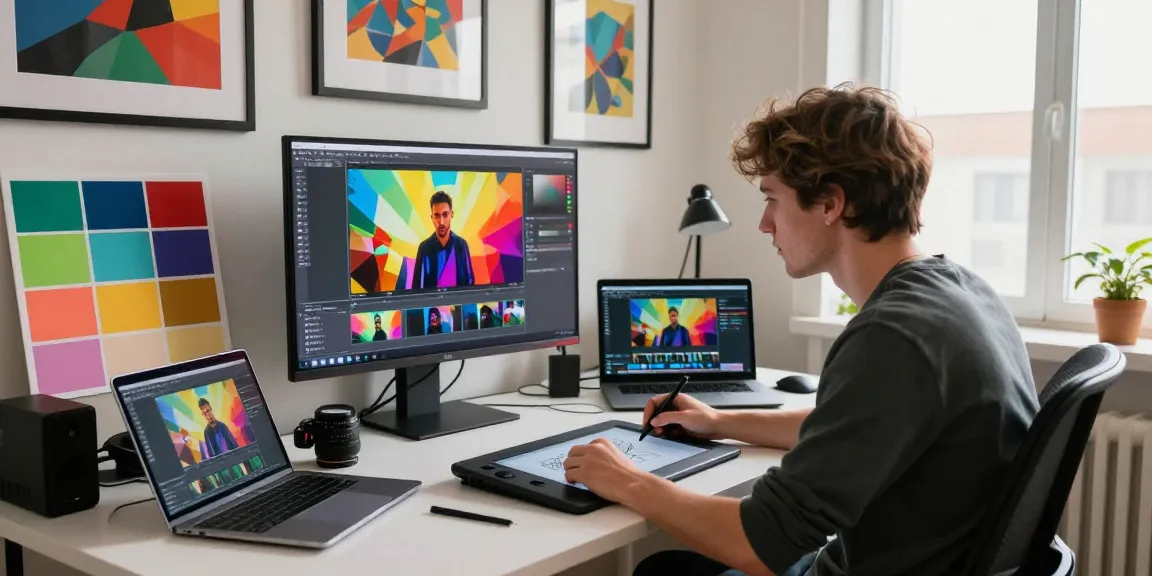
Understanding Image to Video Technology
In the rapidly evolving landscape of digital content creation, the ability to transform static images into dynamic videos has opened up new avenues for creativity and engagement. By leveraging artificial intelligence, creators can now rapidly turn a photo into a video, allowing for richer storytelling and enhanced visual communication. This article will delve into the intricacies of image-to-video technology, showcasing its methodologies, applications, and future trends.
What is Image to Video AI?
Image to video AI refers to a suite of technologies that utilize machine learning algorithms to convert still images into animated video formats. This process often involves various stages, including image analysis, motion generation, and video rendering. The applications of this technology are vast, encompassing marketing, personal memories, and entertainment.
Key Technologies Behind the Transformation
The backbone of image-to-video AI is a combination of neural networks and generative models. Key technologies include:
- Convolutional Neural Networks (CNNs): These are essential for analyzing and processing visual data from images.
- Generative Adversarial Networks (GANs): These play a critical role in creating realistic animations and transitions from static images.
- Natural Language Processing (NLP): This technology enables the integration of text prompts to guide the animation process, providing users with creative control over the output.
Benefits of Using AI in Video Creation
Employing AI in video creation offers numerous advantages, including:
- Speed: AI can generate videos in a fraction of the time it would take traditional methods, making it ideal for fast-paced environments.
- Cost-Effectiveness: By reducing the need for extensive human labor and resources, AI tools lower production costs.
- Accessibility: Users without extensive video editing skills can easily produce professional-quality videos.
Step-by-Step: Turn a Photo into a Video
Converting a photo into a video is a straightforward process that can be accomplished in just three simple steps. Understanding these steps is crucial for achieving high-quality results and maximizing the potential of your images.
Preparing Your Images for Conversion
Before initiating the transformation, it’s essential to prepare your images appropriately. Ensure that the images are of high resolution and relevance to the story you wish to tell. Consider the emotions and narratives you want to evoke, as these can influence the choice of visuals.
Choosing the Right AI Tools
Selecting the right AI tool is vital for successful video creation. Platforms like Magic Hour offer different models for users based on their needs, such as:
- Seedance: Provides high-quality outputs with advanced animation techniques.
- Kling: Focuses on rapid image-to-video conversion.
- Veo: Ideal for cinematic and visually rich videos.
Executing the Transformation Process
Once your images are prepared and you have selected the right tool, the conversion process typically involves uploading your image, optionally adding a text prompt for guidance, and choosing the rendering settings. Finally, generate your video and export it in your desired format.
Use Cases for Image to Video Generators
The applications of image-to-video generators are diverse, catering to different sectors and needs. Here are a few notable use cases:
Social Media Marketing and Engagement
Businesses can leverage image-to-video technology to enhance their social media presence. Short videos that animate product images can attract more engagement compared to static posts, increasing brand awareness and customer interaction.
Content Creation for E-commerce
E-commerce platforms are increasingly utilizing video content to showcase products. By turning images of products into engaging videos, sellers can provide a clearer view of their items, leading to higher conversion rates.
Transforming Personal Memories into Visual Stories
Individuals can use image-to-video tools to breathe life into personal photo collections. Whether for celebrating milestones or documenting travels, transforming images into videos creates a dynamic way to share memories with family and friends.
Common Challenges and Solutions
While image-to-video AI technology presents numerous advantages, it is not without challenges. Understanding these can help users navigate potential pitfalls.
Understanding AI Limitations
AI-generated videos may sometimes lack the nuanced emotion that a human editor could provide. Users should be aware that while AI can produce high-quality outputs, it may not always capture the intricacies of human sentiment effectively.
Managing Expectations in Video Quality
Not all images will convert to videos seamlessly. Users should manage their expectations regarding the quality and realism of AI-generated animations. It’s advisable to experiment with different images and settings to achieve the desired effect.
Tips for Optimizing Your Workflow
To streamline your image-to-video creation process, consider the following tips:
- Batch process images whenever possible to save time.
- Maintain a library of high-resolution images for quick access.
- Utilize templates provided by AI tools to reduce creative friction.
The Future of Image to Video Technology
As technology continues to advance, the future of image to video is promising. Here are some predictions and trends to consider:
Predictions for AI in Video Production by 2026
By 2026, we can expect AI tools to become even more sophisticated, with enhanced capabilities for generating hyper-realistic videos from minimal input. The integration of augmented and virtual reality into video production will also likely redefine how content is created and consumed.
Emerging Trends in Digital Content Creation
Trends such as personalized video marketing and interactive video experiences will become increasingly prevalent. The ability for users to create tailored content that resonates with their audiences will drive engagement and loyalty.
How to Stay Ahead in a Competitive Landscape
To maintain a competitive edge, creators and businesses should continually explore emerging technologies and trends. Investing in ongoing education regarding AI tools and techniques will ensure that content stays fresh and innovative.
What types of videos can I create with an image to video AI generator?
With an image to video AI generator, users can create various styles of videos, including social media clips, presentations, product showcases, and emotional storytelling pieces.
Can I use my AI-generated videos for commercial purposes?
Many AI tools, including those from Magic Hour, allow for commercial use under certain plans. Users should verify the terms of use based on their chosen plan to ensure compliance.
What image formats can I upload for video generation?
Most image to video AI platforms support common formats such as JPEG, PNG, and GIF. However, checking the specific requirements of the selected tool is advisable.
How does the AI image-to-video tool work?
The AI image-to-video tool uses complex algorithms to analyze the uploaded image, then generates a video through a process of interpolation and animation based on learned data patterns.
Is image to video AI free or paid?
While some basic functionalities may be available for free, advanced features and higher-quality outputs typically require a paid plan. Users should evaluate their needs to choose the best option.